
Brand your shop with Store design
A few minutes in Store design makes your storefront look unmistakably yours. Here's how to set your logo, banner and colours.
3 min readUpdated August 2026Store design controls how your shop looks to customers. A tidy, branded page feels more professional and more trustworthy — which makes people more comfortable ordering.
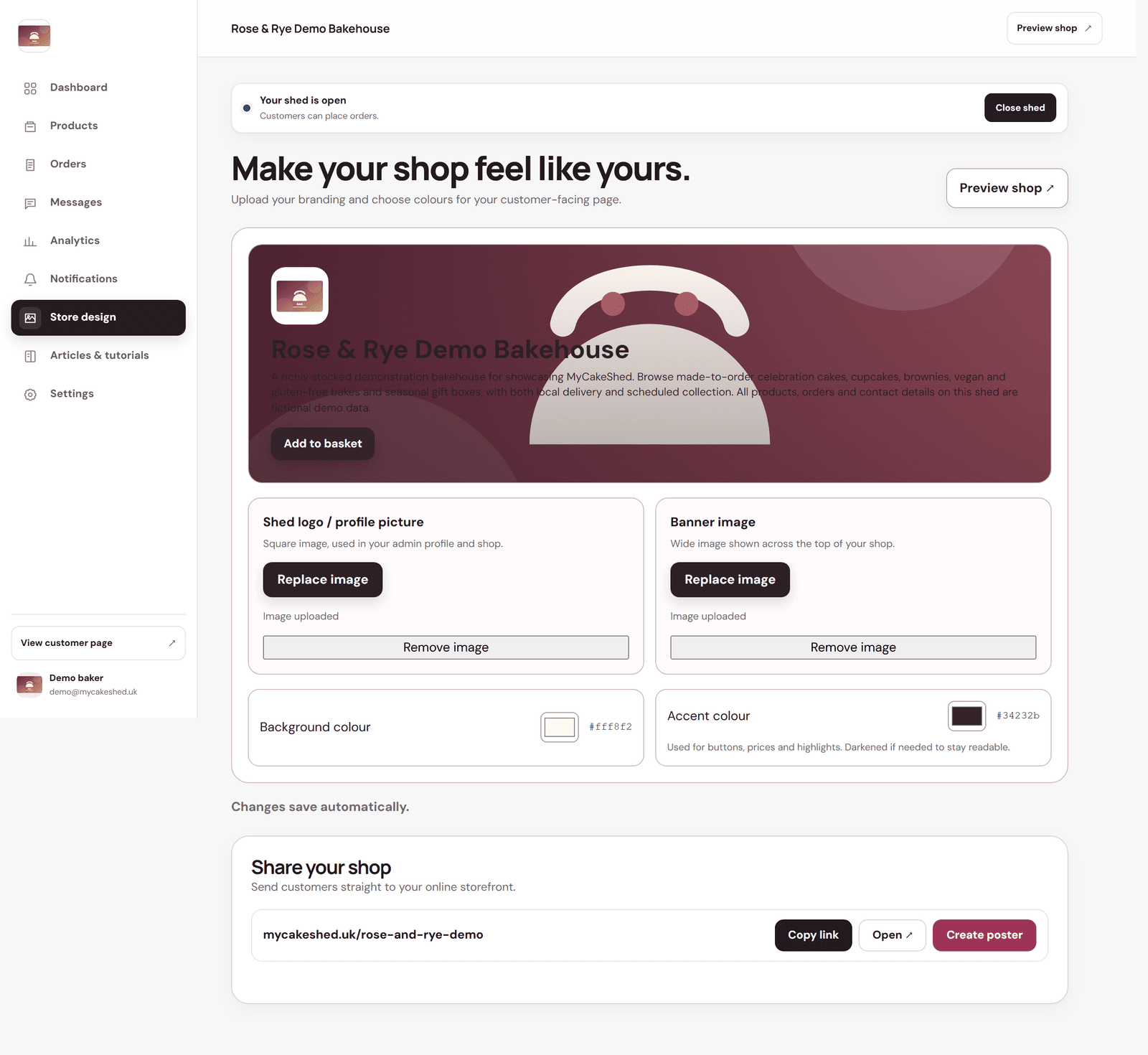
Set your branding
- Shed logo / profile picture — a square image used on your shop and in your dashboard. Your logo, or a clear photo of a signature bake, both work well.
- Banner image — the wide image across the top of your shop. Use a bright, appetising photo.
- Background colour — the base colour of your page.
- Accent colour — used for buttons, prices and highlights. It's darkened automatically if needed so text stays readable.
Everything updates in the live preview as you go, and changes save automatically — there's no separate save button. Use "Preview shop" to see the finished result as a customer would.
Pick two or three colours that match your packaging or your logo and stick to them across your photos and posts. Consistency is what makes a small shop look established.