
Reply to messages and quote bespoke orders
Customer questions and custom-cake enquiries arrive in one tidy inbox. Here's how to reply, and how to turn a bespoke request into a paid order.
5 min readUpdated August 2026Customers can message you straight from your shop, and every conversation — plus any bespoke (made-to-measure) request — lands in Messages, next to the customer's details. No scattered DMs to piece back together.
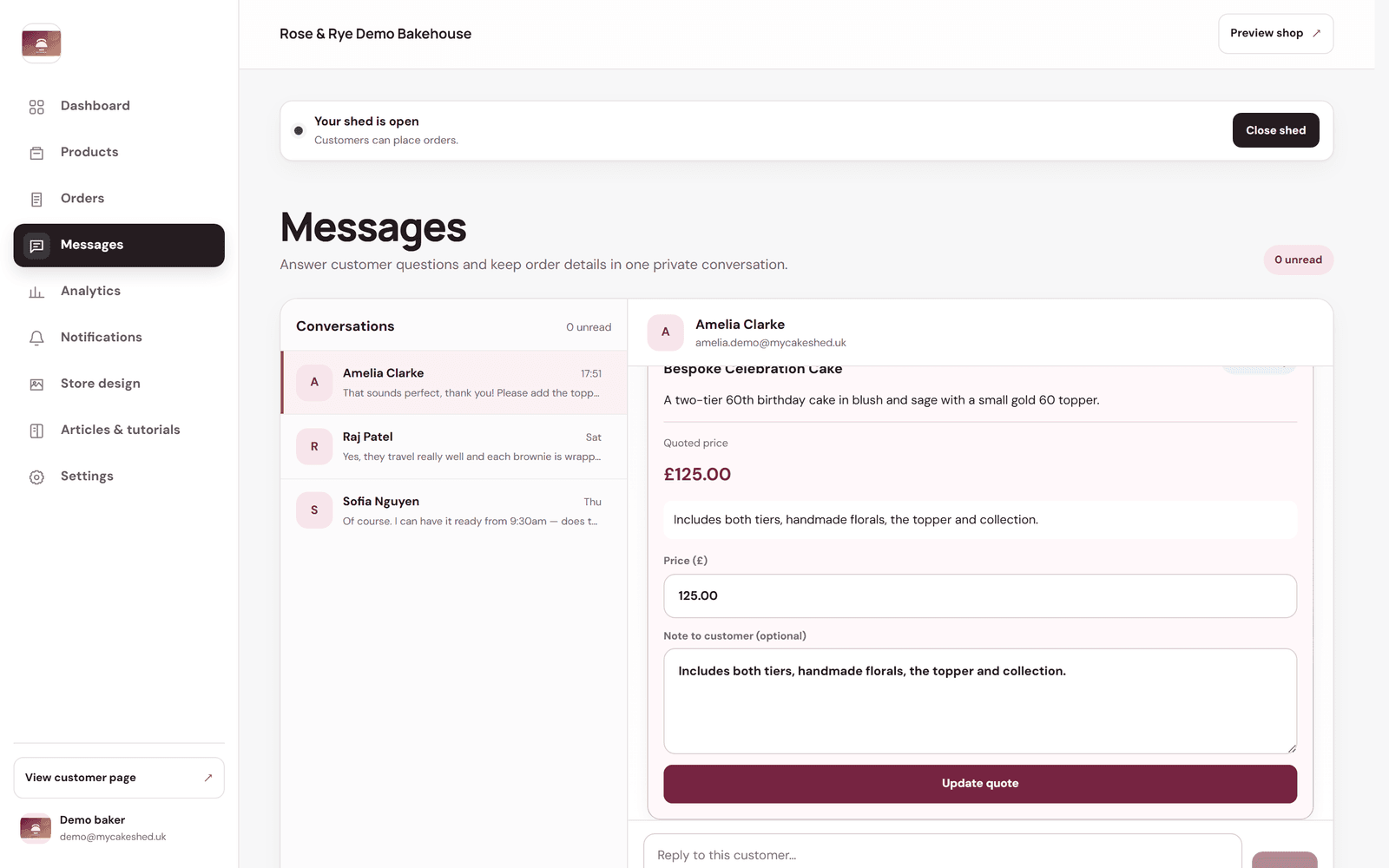
Reply to a customer
- Open Messages from the left-hand menu.
- Pick a conversation from the list — unread ones are highlighted.
- Type in the "Reply to this customer…" box and send. Your reply stays attached to that customer and their order.
Quote a bespoke order
When a customer requests a custom cake, their brief appears inside the conversation. You reply with a price, they accept, and it becomes a normal paid order — all without leaving MyCakeShed.
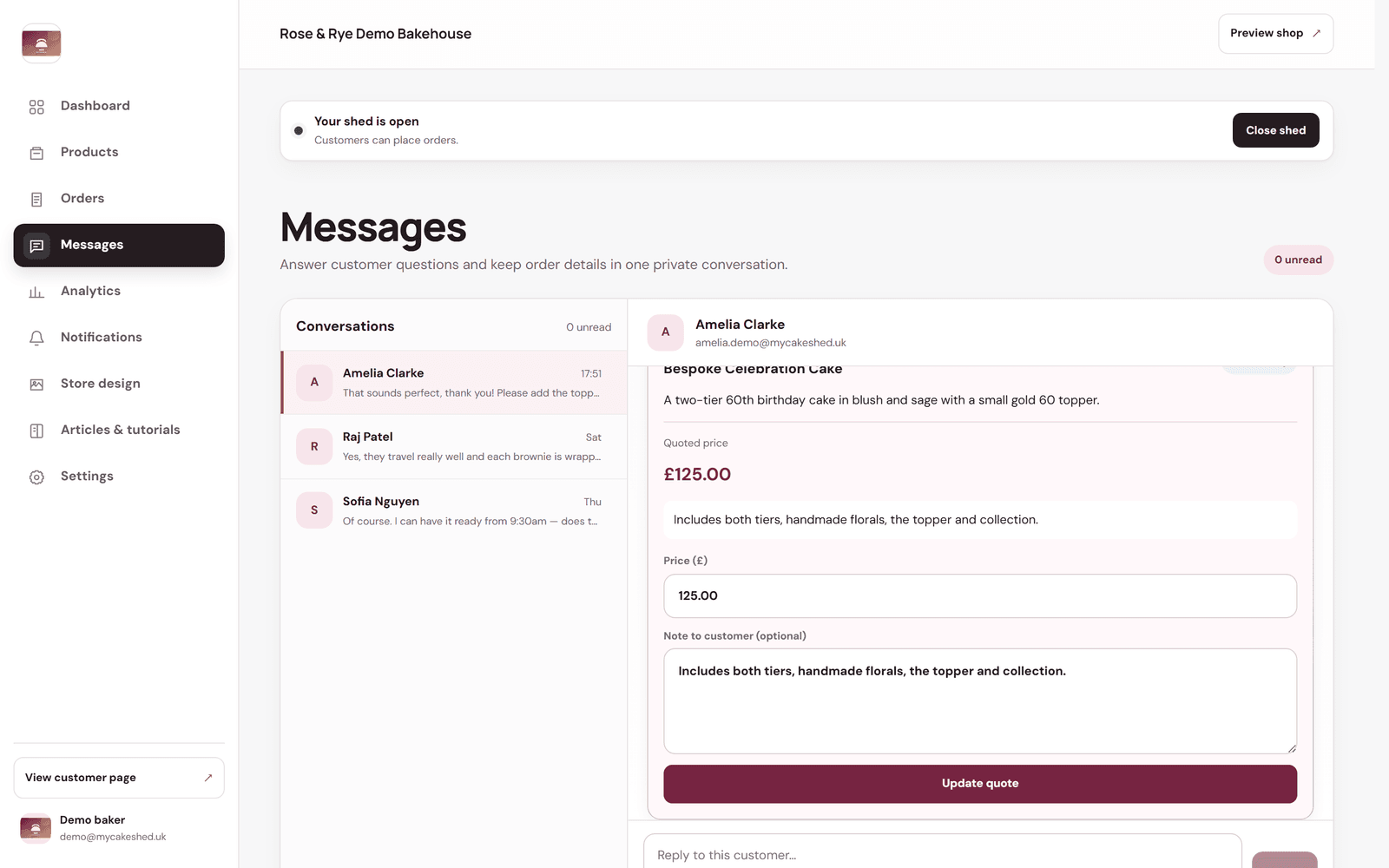
- Open the conversation with the bespoke request. You'll see the customer's brief at the top.
- Ask any questions you need to pin down the design, flavours, size and date.
- Enter your "Price" and an optional "Note to customer" explaining what it covers, then send the quote.
- When the customer accepts and pays, the order appears in your Orders queue like any other — ready to bake.
Fast, friendly replies win orders. A quick answer to “is this available?” is often the difference between a sale and a customer who moves on.