
Set your collection and delivery options
Tell customers when and how they can get their order. Here's how to set fulfilment, delivery areas, pickup hours and capacity.
6 min readUpdated August 2026Your fulfilment settings decide the dates and times customers can choose at checkout. Getting them right means you only ever get orders you can actually make and hand over. It's all under Settings.
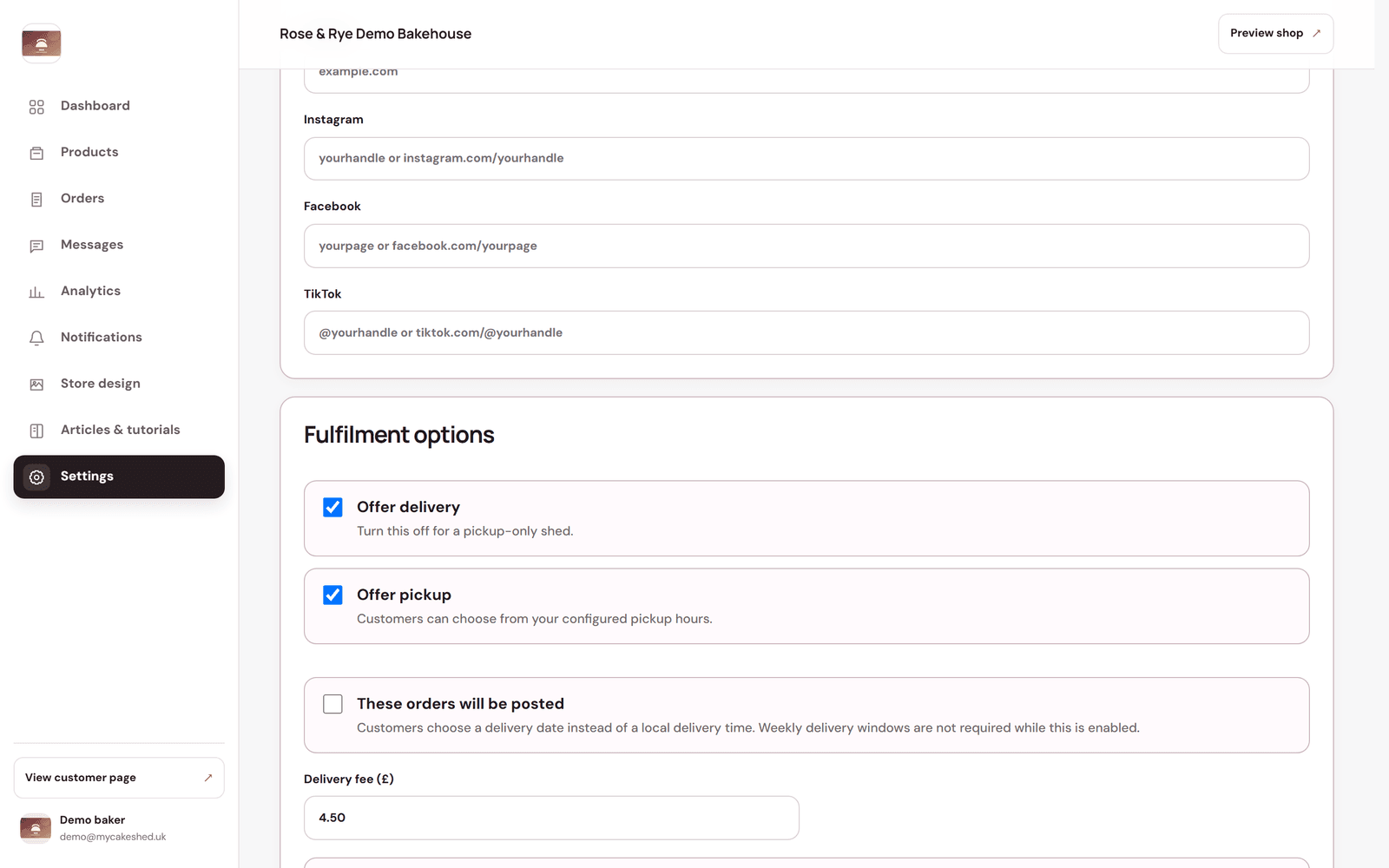
Choose how customers get their order
- "Offer delivery" and "Offer pickup" — turn on whichever you do. Turn delivery off for a collection-only shed.
- Delivery fee — the standard charge, with an optional free-delivery threshold over a set amount.
- Postcode pricing rules — charge different fees (or set a minimum order) for different areas. The most specific matching postcode wins.
- Posted delivery — if you post orders, switch this on so customers pick a delivery date instead of a local time slot.
Set your collection hours
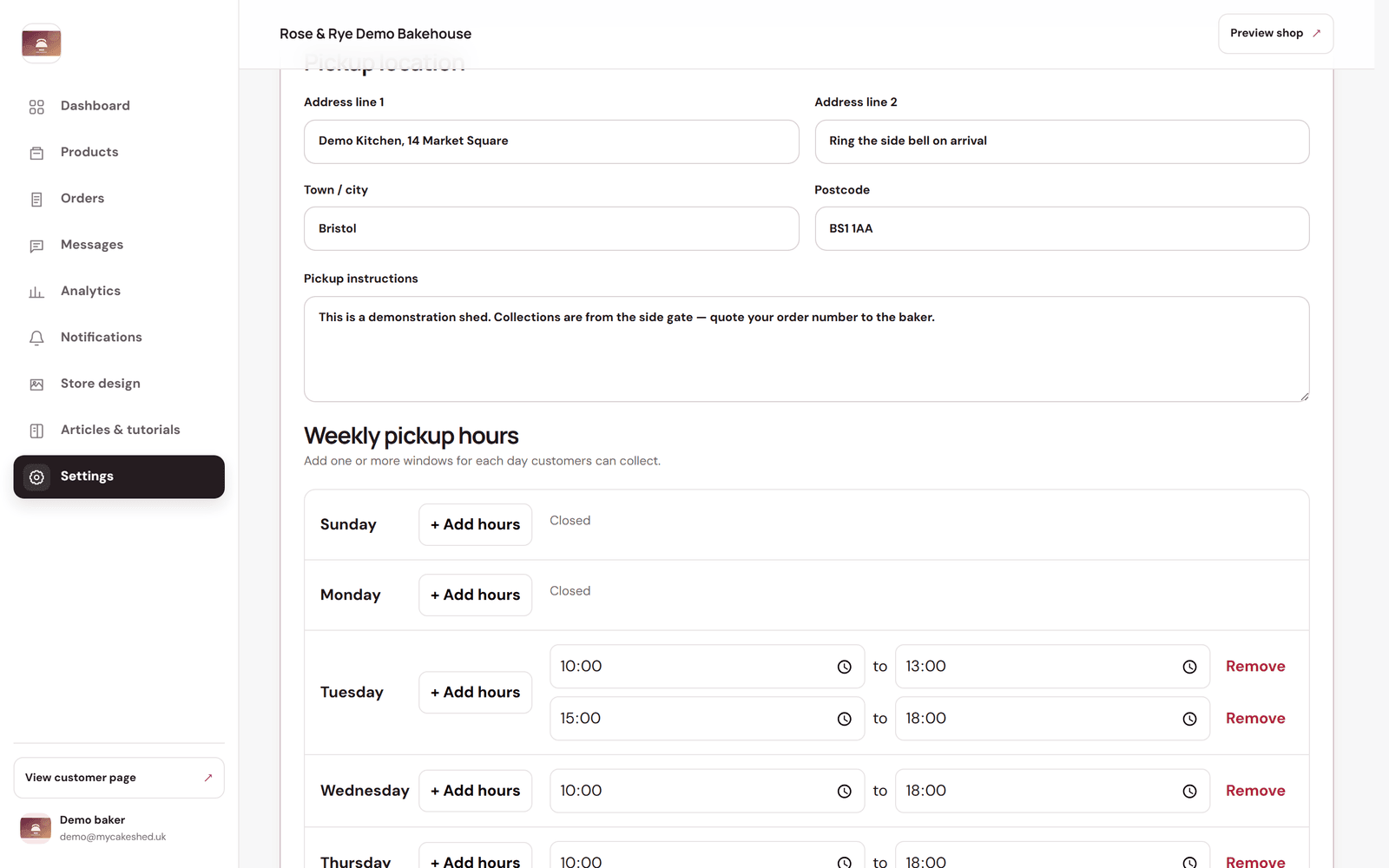
- Enter your pickup address and any instructions (parking, which door, quoting an order number).
- Under "Weekly pickup hours", use "+ Add hours" to add one or more collection windows for each day. Days with none show as Closed.
- Use "One-off changes" to override a specific date — extra hours for a busy weekend, or closed for a bank holiday.
- Use "Daily production capacity" to cap how many items can be booked on a given date, so you never over-commit.
Set your timing rules
- Order notice required — the minimum notice before the earliest slot a customer can choose. Set it to 0 for same-day.
- Cancellation cutoff — how close to fulfilment a customer can still cancel.
- Reminders — how many hours before collection or delivery to send a reminder (0 turns them off).
Remember to click "Save settings" at the bottom after changing your fulfilment options. For a short busy spell, a daily capacity limit is gentler than closing the whole shed.