What your customers see: your storefront
Before you share your link, walk your shop as a customer. Here's what they see and how they place an order.
4 min readUpdated August 2026Your storefront is the page every customer lands on. It's worth knowing it well, because a shop that looks finished and easy to order from is what turns a shared link into a sale. You can open it any time with “Preview shop”.
How customers browse
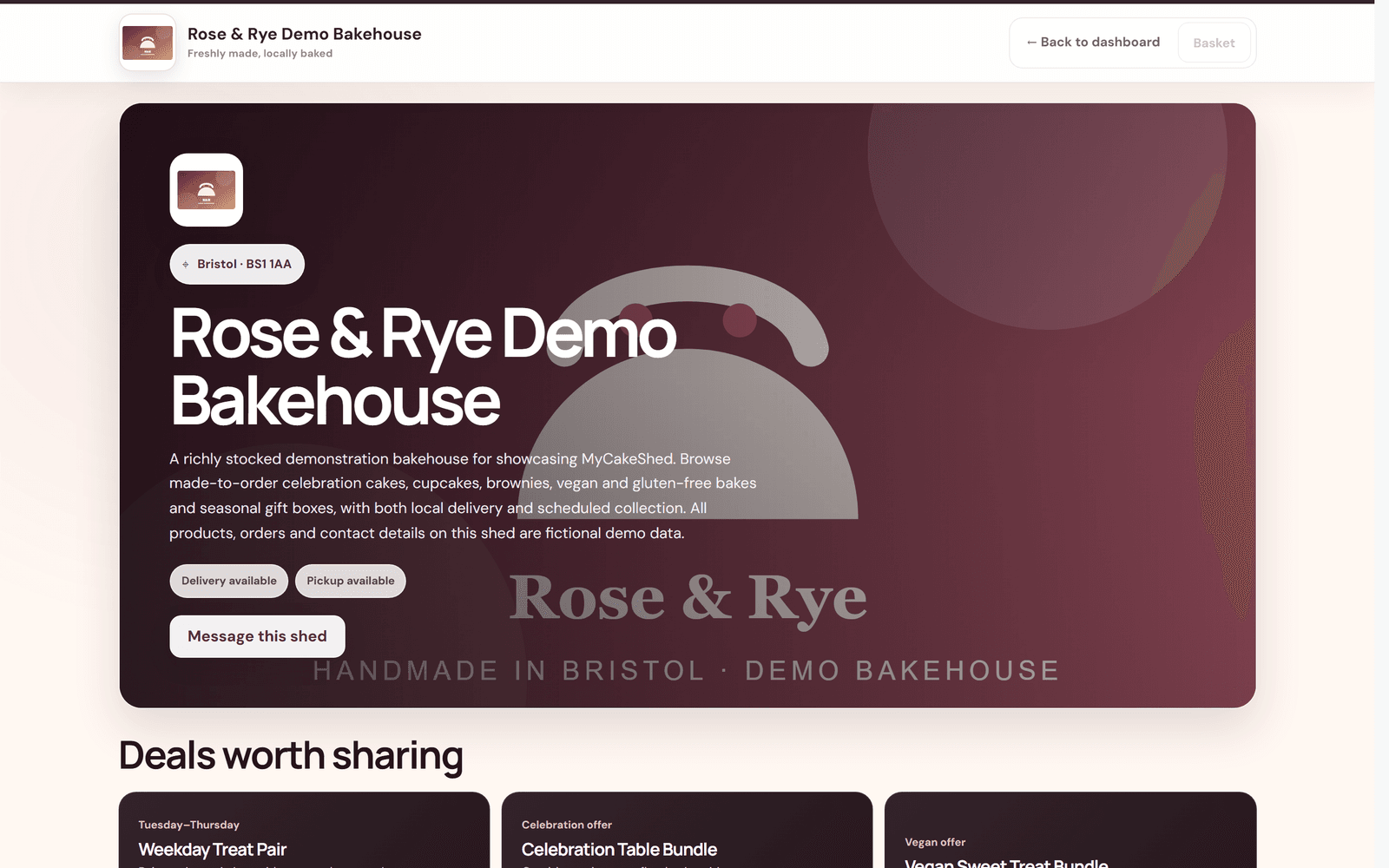
- Your banner, logo, location and description set the first impression.
- The badges show at a glance whether you offer delivery, pickup or both.
- Customers browse the menu, search it, and filter by category or by dietary need (vegetarian, vegan, dairy-free, gluten-free).
- They can "Message this shed" with a question or a custom-cake request, which lands in your inbox.
A product, from the customer's side
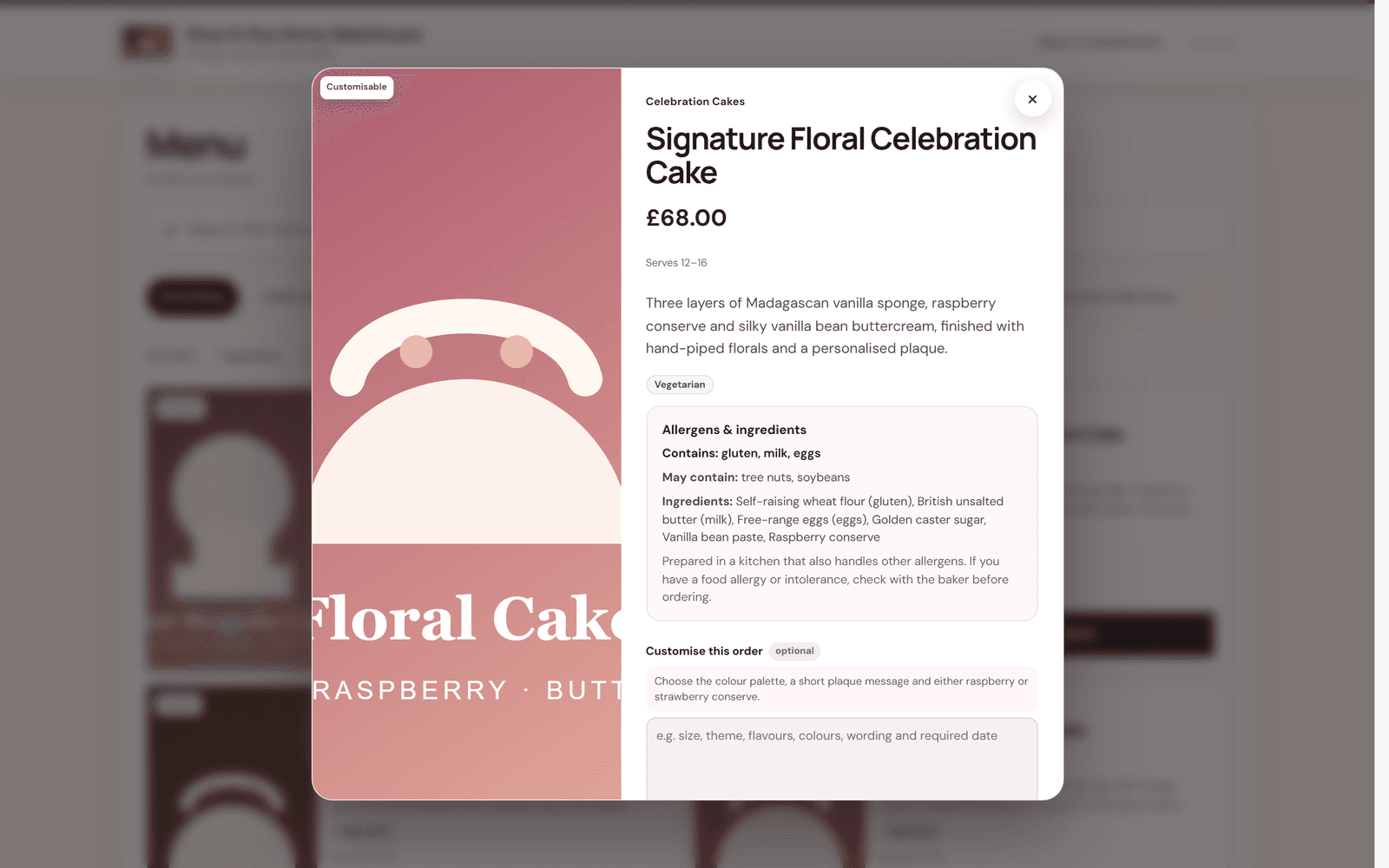
When a customer opens a product they see the photo, price, serving size and description, plus the dietary tags and the allergens and ingredients you entered. If you allowed customisation, they can add a note. From here they add it to their basket, choose collection or delivery, and pay by card.
The information customers see here is exactly what you entered under Products and Store design. If anything looks unfinished in "Preview shop", it looks unfinished to them too — so fix it before you share your link widely.